
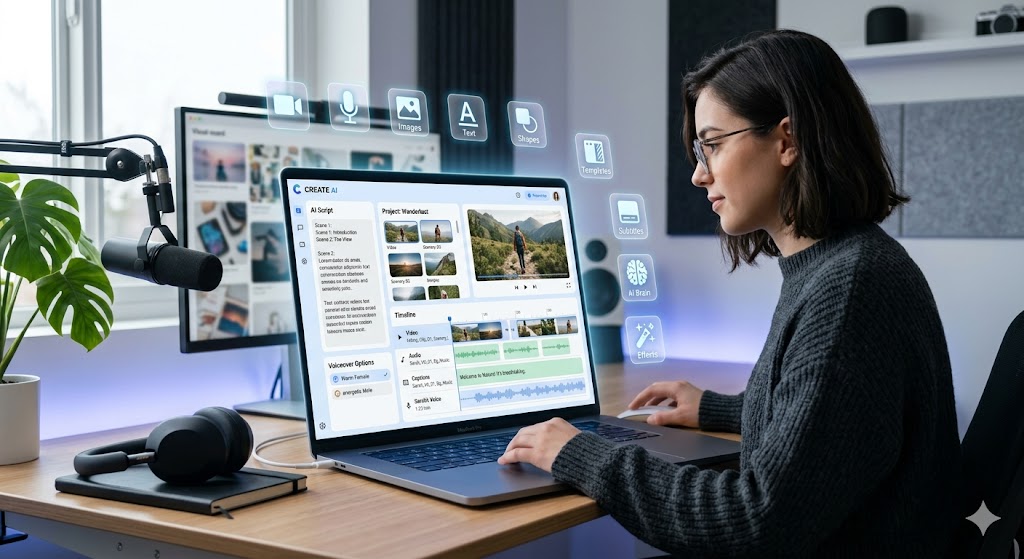
Video content is everywhere today — whether it’s YouTube, Instagram, or ads.
But creating videos? That’s where most people struggle.
It takes time, editing skills, and effort.
That’s exactly why Google Vids is getting so much attention.
It’s designed to make video creation simple, fast, and accessible — even if you’re a complete beginner.
🤖 What is Google Vids?
Google Vids is an AI-powered video creation tool that helps you turn ideas into videos without needing advanced editing skills.
You don’t have to worry about:
- Writing scripts
- Finding images
- Recording voice
- Editing everything together
You just start with an idea… and the tool helps you build the video step by step.
🚀 Why Google Vids is Actually Useful
Let’s keep it real — tools only matter if they solve problems.
Here’s how Google Vids helps:
- ⏱ Saves a lot of time (no complex editing)
- 🎯 Perfect for beginners and creators
- 📈 Helps you create more content consistently
- 💼 Useful for business, ads, and marketing
- 🎥 Everything in one place — no need for multiple tools
If you’re creating content regularly, this can seriously speed things up.
🎁 What You Can Do with Google Vids
Now let’s talk about what you actually get inside the tool.
🎬 Generate AI Video Clips
You can create complete video clips using AI.
Just enter your idea, and it starts building your video structure.
🎙 Generate Voiceover
No mic? No problem.
You can create voiceovers using AI or record your own voice directly.
🖼 Generate Images
Need visuals?
The tool can generate images based on your content, so you don’t have to search manually.
🖥 Record Your Screen
Perfect for tutorials.
You can record your screen directly and add it to your video.
📁 Upload Your Own Files
You can upload:
- Google Drive images
- Personal photos
- Videos
This gives you full flexibility to customize your content.
🎞 Use Stock Videos, Images & Music
Don’t have your own content?
No worries — you get access to stock:
- Videos
- Images
- Background music
This helps you create professional-looking videos easily.
📝 Generate Captions Automatically
Captions are important for engagement.
Google Vids can automatically generate captions for your videos.
🔤 Add Text to Videos
You can add titles, highlights, or important points directly inside your video.
🎨 Use Pre-designed Templates
If you don’t want to start from scratch, you can use ready-made templates.
Just edit and publish — simple as that.
🔷 Add Shapes & Design Elements
Want to make your video look more attractive?
You can add shapes, icons, and design elements to improve the overall look.
🎯 Why This Tool is a Game Changer
Earlier, you needed:
- Video editor
- Voice tool
- Image source
- Music library
Now everything is in one place.
That’s the biggest advantage.
📺 Want to See It in Action?
If you want to understand it better, I’ve created a complete tutorial where I show:
- How to create videos step by step
- How I used AI features
- Real example of video creation
👉 You can watch the full tutorial here:
🧠 Final Thoughts
Google Vids is not just another tool — it’s a smart shortcut.
But one thing to remember:
Tools don’t make content successful… ideas do.
So focus on:
- Good content
- Clear message
- Consistency
And let the tool handle the technical part.